
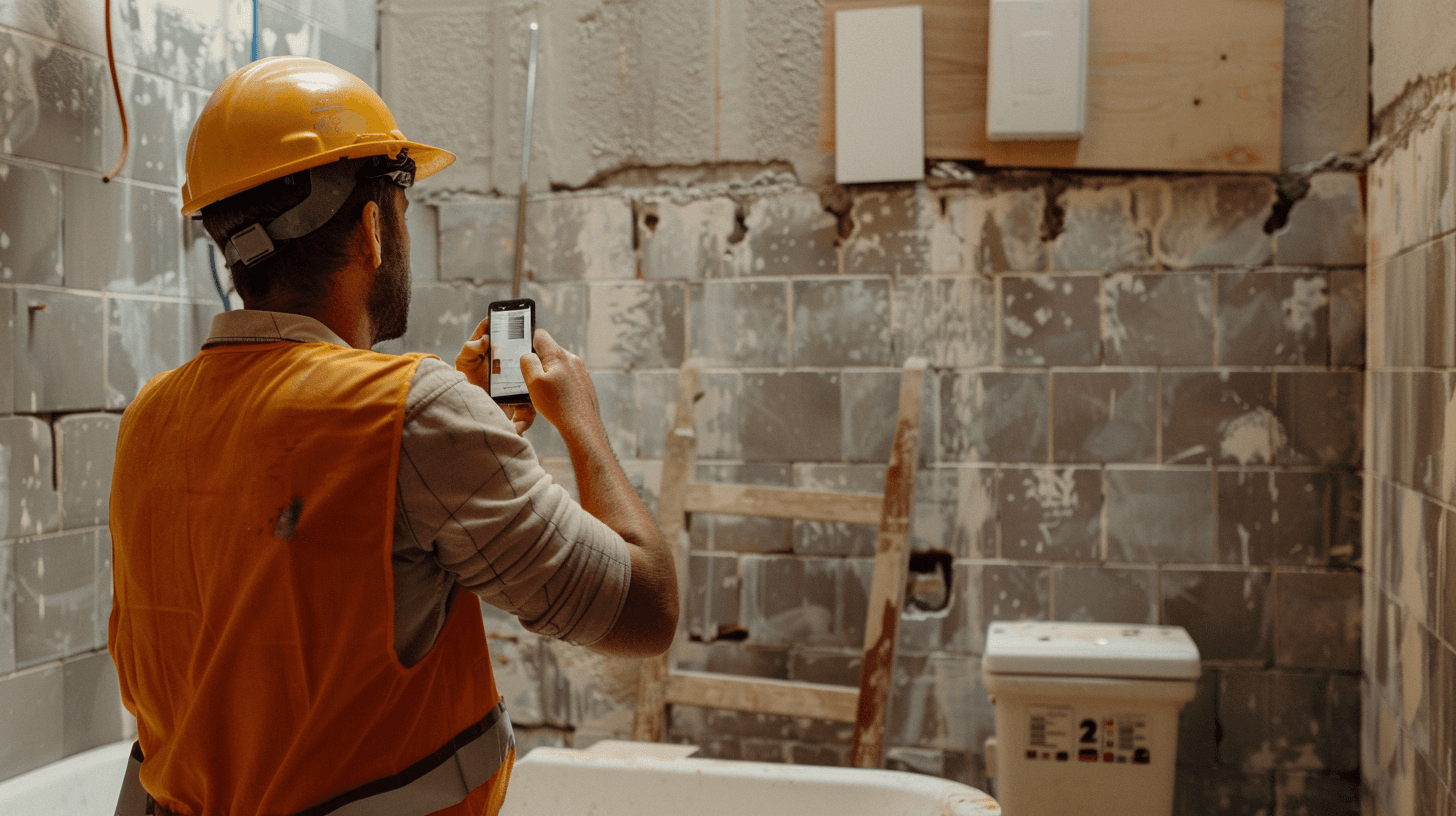
Progress Updates: The $10,000 Communication Habit (Why Talking to Clients Isn't Optional)
Published: Monday, October 20, 2025
Let me guess what you're thinking:
"Progress updates? I'm too busy actually DOING the work to stop and send updates about the work."
Yeah, I hear this constantly. And it's costing you thousands.
Here's a stat that'll wake you up: tradies who send regular progress updates have 50-60% fewer payment disputes than tradies who don't. The average payment dispute costs $15,000-$100,000 in legal fees, lost time, and stress.
Do the math. Three progress updates per job, 2 minutes each, prevents a potential $15,000 problem? That's a $2,500 return per minute of your time.
Still think you're too busy?
Progress updates aren't just "nice to have" customer service. They're insurance against the most expensive problems in your business: disputes, chargebacks, bad reviews, and clients who refuse to pay.
Let me show you why they matter, and more importantly, how to do them so fast you've got no excuse not to.
Why Most Tradies Don't Send Updates (And Why That's Expensive)
Before we get into the how, let's address the why not.
Common excuses:
-
"I'm too busy working to stop and send updates."
Reality: You've got time to check social media 10 times per day but not send a 2-minute update?
-
"The client can see I'm working. They don't need an update."
Reality: No, they can't. They're at their office job wondering if you showed up today.
-
"I'll just tell them when it's done."
Reality: Radio silence breeds anxiety. Anxiety breeds complaints. Complaints breed disputes.
-
"I don't want to bother them."
Reality: They're already bothered because they haven't heard from you and assume something's wrong.
-
"Updates are for big commercial projects, not small residential jobs."
Reality: Small residential clients are actually MORE anxious about their projects, not less.
Here's what actually happens when you don't send updates:
- Day 1-2: Client is excited. Their project is starting!
- Day 3-5: Client starts wondering. "Is he actually working? Should I drive by and check?"
- Day 7-10: Client is anxious. "Haven't heard anything. Is there a problem? Did he find something wrong?"
- Day 11-14: Client is panicking. "It's been two weeks. Is he even still on the job? Did he abandon it?"
- Day 15+: Client is angry. "I'm calling him right now. This is unacceptable."
Then you answer the phone: "Yeah, everything's going great! Almost done actually."
And the client's thinking: "Why the hell didn't you tell me that?"
That's how disputes start. Not from actual problems. From communication problems.
The Data: How Updates Prevent Disasters
RipperContracts tracks this across thousands of projects. The numbers are clear:
Tradies who send 0-1 updates per project:
- Dispute rate: 15-20%
- Average dispute cost: $18,000
- Payment delays: 45+ days average
- Referral rate: 10%
Tradies who send 3+ updates per project:
- Dispute rate: 3-5%
- Average dispute cost: $3,000 (when they happen)
- Payment delays: 5-10 days average
- Referral rate: 35%
See that? Same quality of work. Same pricing. The ONLY difference is communication. And it's the difference between fighting for money and collecting smoothly.
Updates prevent disputes three ways:
-
Eliminate surprises. "We found rot in the subfloor. Here's a photo. Will need to replace before tiling. Additional cost: $800. Let me know if you want to proceed." They approve or reject, but either way, no surprise at the end.
-
Document progress. When a client says "you haven't done anything in two weeks," you can pull up photos from Day 3, Day 7, Day 10, and Day 14 showing exactly what was done. Argument over.
-
Build trust. Regular updates show you're professional, organized, and care about the client's experience. Trust = smooth payments and referrals.
What Makes a Good Progress Update
Not all updates are created equal. Here's what works:
Good Update Template:
"Hi [Client Name],
Quick update on your [project type]:

Today we: [specific work completed]
Tomorrow we'll: [specific work planned]
On track for: [completion date]

[Include 1-2 photos of progress]

Let me know if you have any questions.

Cheers,
[Your Name]"
Example:
"Hi Sarah,

Quick update on your bathroom reno:

Today we: Removed all old tiles, repaired water damage in corner wall, installed new waterproofing membrane
Tomorrow we'll: Start laying floor tiles, plumbing rough-in for new vanity
On track for: Completion by Nov 15 as planned

[Photo of waterproofing installed]
[Photo of prepped floor]

Let me know if you have any questions.

Cheers,
Dave"
That takes 2 minutes to write and send. But look what it does:
- Shows specific progress (not vague "making progress")
- Sets expectations for tomorrow (client knows you're coming back)
- Confirms timeline (client isn't worried about delays)
- Includes visual proof (can't argue with photos)
- Invites questions (shows you're accessible)
The 3-Update Minimum Formula
Every project, regardless of size, should get minimum 3 updates:
Update #1: Day 1-2 (The Kickoff)
"Hi [Client],

Started your [project] today. Here's what we accomplished:

- [Specific tasks completed]
- [Any issues found and how we're addressing them]

Next steps: [What's happening tomorrow]
Timeline looking good for [completion date].

[Photos of work started]"
Why this matters: Confirms you showed up, you're working, and you're organized. Eliminates the "did they even start?" anxiety.
Update #2: Midpoint (The Reassurance)
"Hi [Client],

Halfway through your [project]. Progress update:

- [What's been completed]
- [What's happening next]
- [Any adjustments to timeline or scope]

Still on track for [completion date].

[Photos of progress]"
Why this matters: Proves you're making progress, not just dragging it out. Catches any concerns before they become problems.
Update #3: Near Completion (The Finisher)
"Hi [Client],

Your [project] is nearly complete. Here's where we're at:

- [What's finished]
- [Final tasks remaining]
- [Expected completion: specific date/time]

I'll do a final walkthrough with you on [date] to ensure everything meets your expectations.

[Photos of near-finished work]"
Why this matters: Sets expectation for final payment, schedules walkthrough, shows professionalism. Makes payment conversation easier.
Bonus Update: The Completion
"Hi [Client],

Your [project] is complete!

[Photos of finished work]

As discussed, final payment of $[amount] is due. [Payment instructions]

Really enjoyed working with you. If you're happy with the work, I'd appreciate a Google review: [link]

Let me know if you have any questions.

Cheers,
[Your Name]"
Why this matters: Professional close, clear payment request, asks for review while quality is top of mind.
How to Send Updates in Under 3 Minutes
"But I don't have time to write emails while I'm covered in dust."
Fair. Here's how to make it fast:
Option 1: Voice-to-Text (30 seconds)
- Open your messaging app
- Hit voice-to-text
- "Hi Sarah, quick update on your bathroom. Today we removed all the old tiles and installed waterproofing. Tomorrow we're starting floor tiles. On track for November 15. Talk soon."
- Take 2 quick photos
- Send
Total time: 45 seconds.
Option 2: Template + Photos (90 seconds)
- Open your saved template
- Copy/paste
- Fill in the blanks: [what we did], [what's next], [date]
- Attach 2 photos
- Send
Total time: 90 seconds.
Option 3: RipperContracts (30 seconds)
- Open the project on your phone
- Tap "Send Progress Update"
- Select from dropdown: "Completed waterproofing" / "Started tile installation" / etc.
- Take photos (uploads automatically)
- Hit send
Total time: 30 seconds. The system formats it professionally, sends it to the client, and logs it in the project timeline.
When to send:
- End of each workday (before you leave the site)
- OR first thing next morning (while you're having coffee)
Pick one time and stick to it. Consistency matters more than perfection.
What to Include (And What to Skip)
Always include:
- Specific work completed (not "made progress")
- What's happening next
- Photos (2-3 minimum)
- Timeline confirmation or update
- Invitation for questions
Never include:
- Problems without solutions ("Found a mess, not sure what to do")
- Vague statements ("everything's fine")
- Complaints about the job
- Requests for payment mid-project (unless that was the agreement)
- Too much technical jargon the client won't understand
Handle problems like this:
Bad: "Found rot. Big problem. Gonna cost more."
Good: "Update: Found some rot in the subfloor during demo (see photo). This needs to be replaced before we can tile. Additional materials and labor: $800. Can proceed today if you approve, or I can provide alternative options. Let me know."
See the difference? Problem → solution → client decision. Professional, not panicked.
The Photo Strategy (Visual Proof Beats Words)
Photos are non-negotiable. Here's what to shoot:
Before photos (Day 1):
- Overall space from multiple angles
- Problem areas specifically
- Anything the client might dispute later ("that crack was already there")
During photos (every update):
- Work in progress
- Materials being installed
- You actually on site working (proves you showed up)
After photos (completion):
- Finished work from multiple angles
- Close-ups of quality details
- Clean workspace (shows you cleaned up)
Pro tip: Take 30 seconds at the end of each day to snap 5-10 photos. You'll always have fresh content for updates. Plus, if there's ever a dispute, you've got a complete photo timeline.
RipperContracts bonus: Photos auto-timestamp and get stored on blockchain. Can't be edited or disputed later. That's legal-grade documentation.
Real Example: How Updates Prevented a $20,000 Dispute
Real story from a RipperContracts user (names changed):
The Job: Kitchen renovation, $35,000
The Problem: During demo, they found illegal plumbing that needed fixing before proceeding.
What the tradie did:
Day 3 update: "Found non-compliant plumbing during demo (see photos). This needs to be brought to code before we can proceed. Options:
- Fix it properly: $2,500, adds 3 days
- Work around it (not recommended, could fail inspection)
- Pause project while you get another quote
I recommend Option 1 for safety and code compliance. Let me know by tomorrow so we can stay on schedule."
Client response: "Wow, thanks for catching that. Yes, fix it properly. Appreciate the honesty."
Result: $2,500 variation approved immediately, no dispute, client left a 5-star review specifically praising the communication.
What could have happened without the update:
Tradie fixes it without asking, adds $2,500 to final invoice, client refuses to pay, 6-month legal battle, relationship destroyed.
One progress update prevented a $20,000+ legal nightmare.
The Psychology: Why Clients Need Updates
Understanding client psychology helps you communicate better:
What clients are thinking when you don't update:
- "Is he even working?"
- "Did he find a problem and not tell me?"
- "Is he going to finish on time?"
- "Is the final cost going to be way higher than the quote?"
- "Did I hire the wrong person?"
What clients think when you DO update:
- "Oh good, he's working and making progress."
- "He's organized and professional."
- "He keeps me informed—I can trust him."
- "If there were problems, he'd tell me."
- "I made the right choice hiring him."
The update doesn't change the quality of your work. But it changes how the client PERCEIVES your work. And perception drives payment behavior.
The ROI: What Updates Actually Get You
Let's quantify the value:
Time invested:
- 3 updates per project
- 2 minutes per update
- 6 minutes total per project
Money saved/earned:
- Dispute prevention: $15,000 average dispute cost avoided
- Faster payment: Get paid 30 days faster on average = better cash flow
- More referrals: 35% referral rate vs 10% = 3.5x more word-of-mouth business
Real example:
You do 50 projects per year. Without updates:
- 15% dispute rate = 7.5 disputes
- Average cost: $15,000 per dispute
- Total cost: $112,500 in dispute-related expenses
With updates:
- 3% dispute rate = 1.5 disputes
- Average cost: $15,000 per dispute
- Total cost: $22,500 in dispute-related expenses
Savings: $90,000 per year
Time invested: 300 minutes (5 hours) per year
That's $18,000 per hour.
Still think you're too busy to send updates?
Quick Start: Your First Week of Updates
Don't overthink it. Just start:
Today:
- Save the template to your phone
- Take photos of your current project
Tomorrow:
- Send one update to your current client using the template
- Note how long it took (probably under 3 minutes)
This week:
- Send updates on every active project (minimum 1 per project)
- Get comfortable with the process
Next week:
- Implement the 3-update minimum on all new projects
- Track: do clients respond differently?
After 30 days, you'll have data: fewer payment issues, faster collections, happier clients. And it'll feel automatic, not forced.
The Bottom Line
Progress updates aren't optional nice-to-haves. They're essential risk management.
For 6 minutes per project, you prevent thousand-dollar disputes, get paid faster, and generate more referrals.
The ROI is massive. The effort is minimal. There's no excuse.
Start today. Right now. Send an update on your current project before you finish reading this.
Your future self (and your bank account) will thank you.
Frequently Asked Questions
Q: What if I don't have anything significant to report? Should I still send an update?
A: Yes. Even if progress seems minor to you, the client wants to know you're working. "Today we focused on prep work and ordering materials. Everything's on schedule for tile installation tomorrow" is perfectly fine. The update isn't about impressing them with productivity—it's about eliminating anxiety. No news from you = bad news in their mind. A simple "work continues as planned" message is better than silence.
Q: Should I send updates on small jobs (under $2,000)?
A: At minimum, send one update halfway through. Small job or not, clients still wonder if you're working and when you'll finish. A 30-second text with a photo keeps them happy. Plus, small job clients refer others too—don't skip communication just because the job is small. The client who hired you for a $1,500 tap replacement might know someone planning a $30,000 bathroom reno. Treat every client professionally.
Q: What if the client never responds to my updates?
A: That's fine and completely normal. Most won't reply. They're reading them, they just don't feel the need to respond. The update's value isn't in getting a response—it's in preventing them from feeling anxious or uninformed. Keep sending updates even if they don't respond. When payment time comes, you'll notice the difference. Clients who've been kept informed pay faster and complain less, even if they never replied to a single update.
Q: Can I send too many updates and annoy the client?
A: Possible but unlikely if you're thoughtful. Three updates spread across a 2-week job isn't annoying. Three updates per day would be. The rule: update when there's meaningful progress or decisions needed, but don't update just to update. If you're doing a 6-month project, weekly updates make sense. Two-week bathroom reno? Three updates total is perfect. Listen to client cues—if they reply "thanks, but you don't need to update so often," adjust accordingly.
Q: What if I found a problem and haven't figured out the solution yet? Should I wait to update?
A: No. Update immediately with what you know: "Found an issue with [problem]. I'm working on the best solution and will have options for you by end of day. Wanted to give you a heads up now." Clients respect honesty and proactiveness. What they hate is finding out about problems weeks later when you're trying to collect final payment. Early communication about problems shows professionalism and gives clients time to mentally prepare for potential additional costs or delays.
Next in the Series
Post 5: Capturing Variations: Stop Doing Free Work
You're sending updates. Great. But when the client says "oh, while you're here, can you also..." are you capturing that as a paid variation or just doing it and eating the cost? Next week, we're covering how to turn scope creep into additional revenue without being awkward about it.
[Get Started with RipperContracts] | [Book a Demo] | [See Pricing]
RipperContracts: Contracts Sorted. Get Back to Work.
